Live Picture-in-Picture: See If an Event Is Still Happening
Is the event still happening? Now you can see at a glance
An icetana AI event comes in. You open the clip and watch someone climb a fence, or a group start to gather near an exit. Then comes the question that decides your next move: is it still happening?
Until now, answering that meant leaving the event, finding the camera and opening its live view. A few clicks and a few seconds, right at the moment your focus matters most.
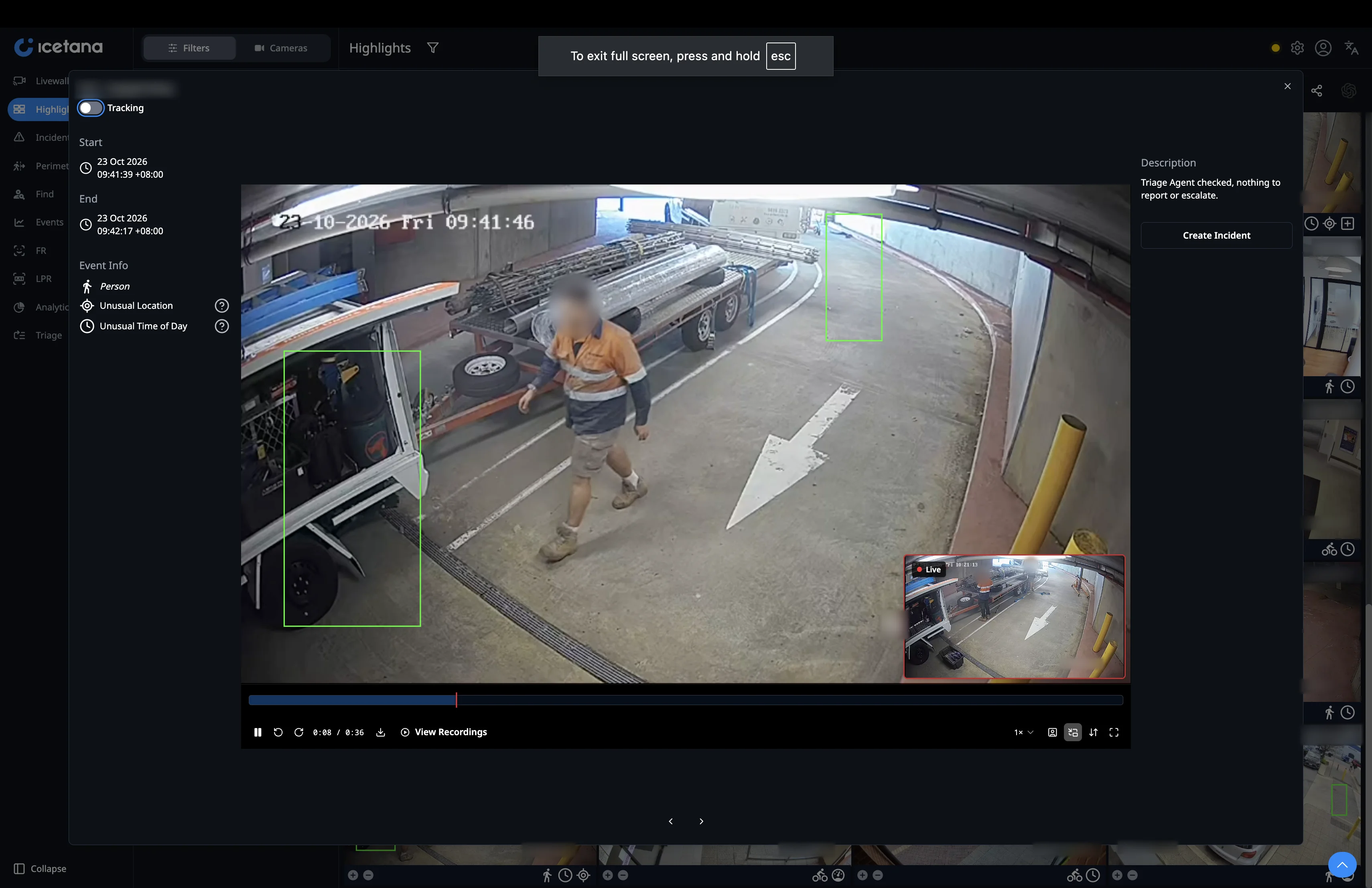
Live picture-in-picture removes that step. Every icetana event clip now plays with the live feed from the same camera in the corner of the frame.
Every second spent switching is a second not responding
Operators on large sites watch hundreds of cameras. When an event lands, they have to decide quickly: send someone, keep watching or close it out. That call depends on two pieces of information at once. What happened, and what is happening right now.
Splitting those across two windows slows the decision. The operator has to hold the event in their head while they hunt for the live view. In a busy control room, that is exactly where details get lost.
What happened and what's happening, side by side
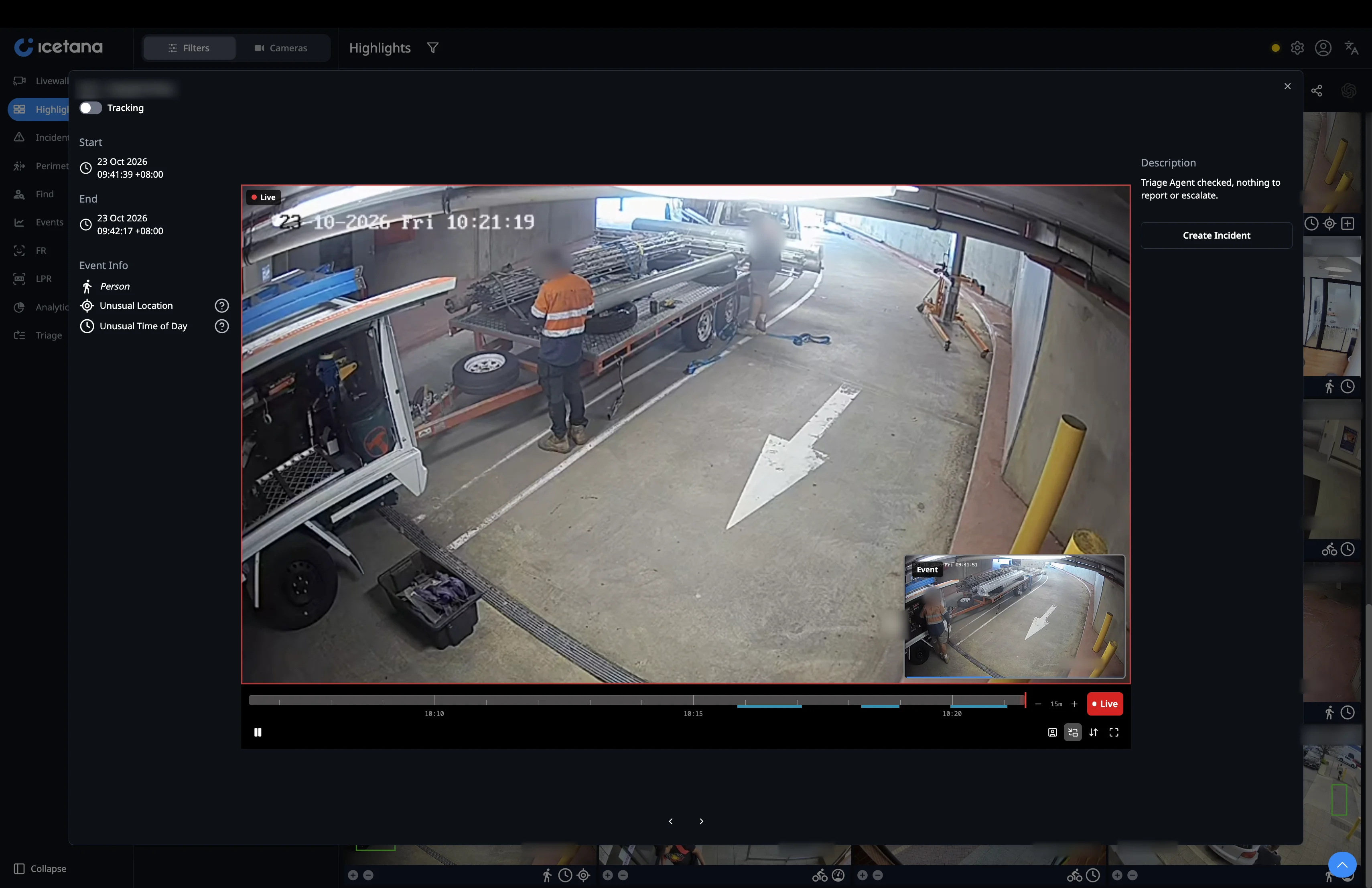
With live picture-in-picture, the event plays in the main view and the live feed sits in the bottom right corner. One glance tells you whether the person is still at the fence, whether the group has moved on or whether the vehicle is still parked in the entrance of the parking lot.
For operators, that means:
- Faster calls. Confirm or dismiss an event without leaving the icetana software.
- Better briefings. Tell responders where the person is now, as well as what they did.
- Less wasted attention. Events that have already resolved can be closed straight away, so focus stays on the ones still unfolding.
One click to change focus
When the live view becomes the priority, click the inset. The live feed fills the frame and the event clip moves to the corner. You follow what happens next without losing sight of what triggered the alert. Click again to swap back.
It matches the way an incident plays out. You start with what happened, shift to what is happening now and check back on the original clip whenever you need it.
Wherever you watch video
Picture-in-picture works on every screen in icetana that plays video, so operators get the same view wherever they review an event. You can switch it off or back on from the player control bar, so a full, uncluttered view of the clip is always one click away.
See it in action
Live picture-in-picture is in the latest icetana AI release.
New to icetana AI? Book a demo and we'll show you how it fits into your control room.
.webp)

.webp)